
We promissed you a first look at the upcoming Mac version of Livestation, so here it is.
 A quick recap: Livestation is a desktop app developed by UK startup Skinkers which utilizes peer-to-peer technology to deliverer live TV to a user’s PC (currently Windows-only). Content-wise, Livestation focuses on 24 hour news stations such as Al Jazeera, BBC World News, Bloomberg Television and EuroNews. The software has been developed by UK startup Skinkers.
The new Mac version, which is very much a pre-release, is ahead of the version for Windows on a number of features including:
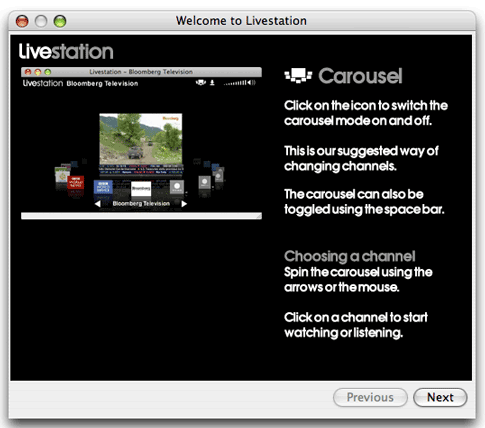
A visual carousel to choose channels

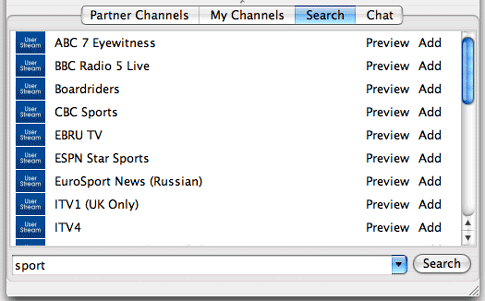
User channel search, watch and save from within the player
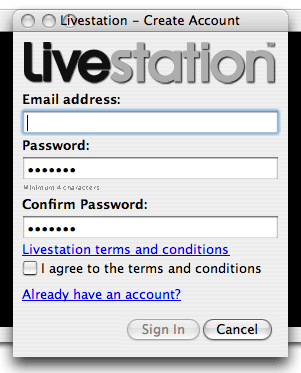
In client registration
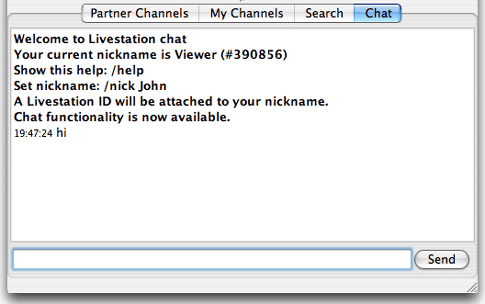
Global chat room
A Livestation tutorial
Still to come
Livestation told us they are working on further features for the Mac client including:
- Partner Channels & My Channels will be merged, to simplify navigation and channel selection.
- Better feedback & information on user channels (status up/down, geography, language search, most popular…)
- Better chat – channel specific and private chat
- Multi-channel view
- Basic timeshift – pause, replay
Verdict
 The Mac version, even in its early development, is a very polished application, packed full of functionality. It ran very smooth on a fairly recent iMac running Tiger and proved very easy to use. Best of all it feels like a proper Mac app not a just a port from the Windows version. The only disappointment is that it’s Intel Mac-only. Otherwise, well done Skinkers.

Livestation Mac 2.0.13 is now released to the public (OSX Intel only)
Enjoy!
love your site
Thanks
I am a pc user and am interested to the app.And also want to use it to my mobile.What kind of mobile configuration should I have to use.
Pls let me know
Thanks
Nice and very user friendly interface too..
Thanks